Multi-stage wizards
Multi-stage wizards are particularly useful when used in conjonction with single page mode. With a multi-stage wizard, you can group multiple questions together, that get asked on the same page, as shown below :
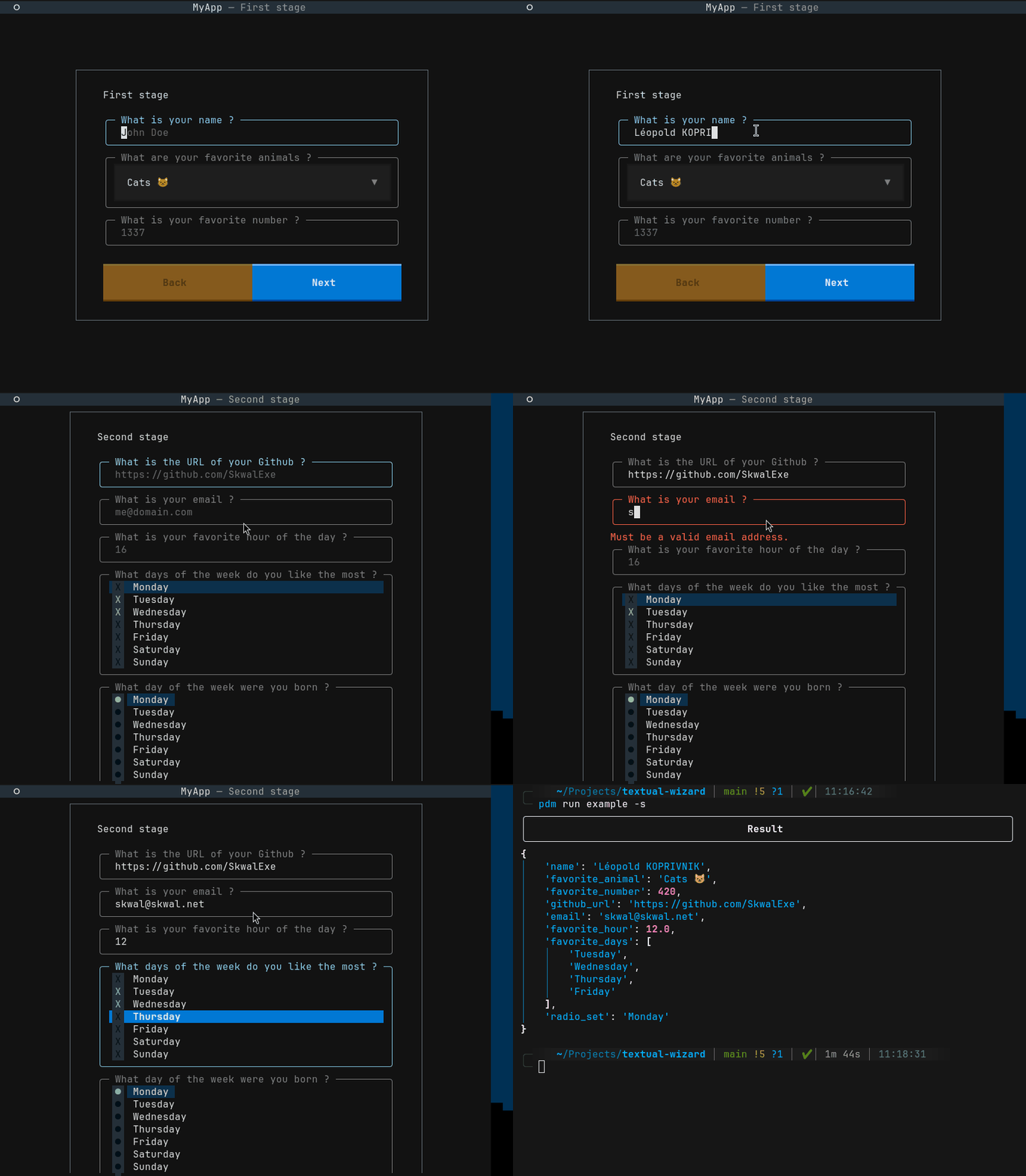
Guide
To create a multi-stage wizard, you first need to import the MultiStageWizard class and the Stages type.
Then, define your questions in an array, as follows.
# The type hint is optional, but your type checker will complain if you forget it.
MY_QUESTIONS: Stages = [
    {
        # Each stage is represented by a dict, that contains these two keys.
        "title": "First stage title",
        "questions": [
            Text(
                "name",
                "What is your name ?",
                placeholder="John Doe",
                allow_blank=False,
            ),
            # your other questions...
    },
    {
        "title": "Second stage",
        "questions": [
            URL(
                "github_url",
                "What is the URL of your Github ?",
                placeholder="https://github.com/SkwalExe",
                allow_blank=True,
            ),
            # your other questions...
        ],
    },
]
Finally, you can run the wizard and retrieve the answers.